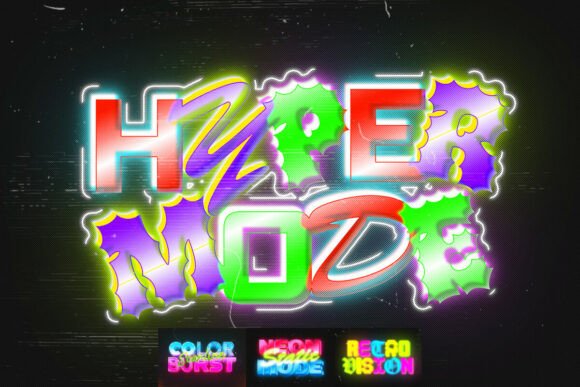
RGB Glow Text Effects: A Guide to Vibrant, Eye-Catching Typography
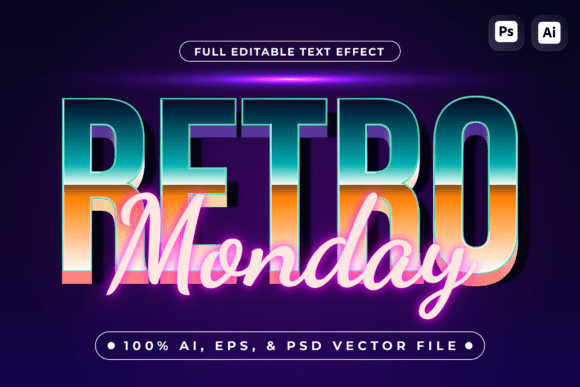
RGB Glow Text Effects offer a dynamic way to create visually striking text that stands out in any design. Whether you're working on YouTube thumbnails, social media graphics, or event flyers, these effects bring a sense of energy and modern flair to your work. With features like soft outer glow, colorful gradients, and retro-inspired luminous typography, they’re ideal for anyone looking to add a neon glow to their projects.
These effects are particularly popular among creators in the gaming, music, and digital marketing industries. They provide a strong neon illumination that can make your titles more engaging and memorable. However, while the appeal is clear, there are several common mistakes people make when using RGB Glow Text Effects that can impact the final result.
Common Mistakes When Using RGB Glow Text Effects
One of the most frequent errors is not understanding the difference between RGB and traditional neon effects. While both involve glowing text, RGB effects allow for a wider range of colors and dynamic lighting, which can be overwhelming if not used carefully. Many users apply too many colors or gradients, resulting in a chaotic look instead of a polished one.
Another mistake is overlooking the resolution and file format. The RGB Glow Text Effects pack includes 3000 x 2000 px files, but some users may not realize the importance of high-resolution images for professional use. Lower resolution files can lead to pixelation, especially when scaled up for posters or banners. Always check the dimensions before downloading or purchasing.
Additionally, some creators assume that more complex effects always mean better results. This isn’t necessarily true. Overcomplicating the design with too many layers or effects can make the text hard to read, defeating the purpose of making it eye-catching. It’s essential to balance creativity with clarity.
How to Avoid Common Pitfalls
To avoid these issues, start by experimenting with the effects in a controlled environment. Use the provided help file to understand how each feature works. This will help you make informed decisions about color choices, gradient applications, and glow intensity.
It's also wise to test the effects on different backgrounds. What looks great on a dark background might not work as well on a light one. Adjusting the opacity and glow settings accordingly can make a big difference in readability and visual impact.
When working with the 4 PSD files included in the pack, take time to explore each layer. Understanding how the effects are structured can save time and prevent errors during the editing process. Don't hesitate to simplify the design if needed—sometimes less is more.
What to Check Before Making a Decision
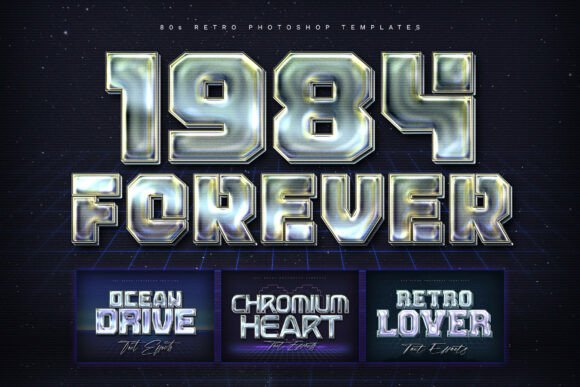
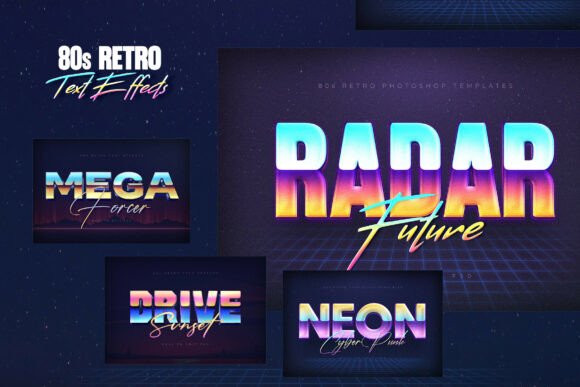
Before purchasing or downloading RGB Glow Text Effects, consider your specific needs. Are you looking for something that fits a retro aesthetic, or do you need something more modern? The pack includes retro-inspired luminous typography, which makes it versatile for various themes, including vaporwave, cyber visuals, and nightlife branding.
Also, think about the intended use. If you're creating content for social media, the size and format of the files matter. High-resolution images ensure that your designs look sharp on all devices. For digital advertising materials, the quality of the text effects can influence how your message is received.
Lastly, check if the package includes any additional resources, such as a help file or tutorials. These can be invaluable for beginners who are new to working with neon glow effects. A well-documented pack can significantly reduce the learning curve and improve your overall experience.
Practical Tips for Better Results
Start with a clear concept. Knowing what you want to achieve with your text effects can guide your choices. For example, if you're designing a festival poster, focus on bold, vibrant colors that reflect the energy of the event. If you're creating a YouTube thumbnail, prioritize legibility and contrast so the text stands out quickly.
Use the gradients and color options to enhance the mood of your design. A warm red and orange gradient might convey excitement, while cooler blues and purples could evoke a more mysterious or futuristic vibe. Experiment with different combinations to find what works best for your project.
Don’t forget to consider the surrounding elements. The glow effect should complement the rest of the design, not clash with it. If the background is busy, adjust the glow intensity to ensure the text remains the focal point.
Conclusion: Make the Most of Your RGB Glow Text Effects
RGB Glow Text Effects can elevate your designs and make your work stand out in a competitive digital landscape. By avoiding common mistakes and focusing on practical application, you can achieve professional-quality results without unnecessary complications. Remember to check the details before purchasing, experiment with different styles, and always keep the end goal in mind.
Whether you're a beginner or an experienced designer, these effects offer a powerful tool for creating vibrant, eye-catching typography. With the right approach, you can turn your ideas into stunning visual experiences that resonate with your audience.