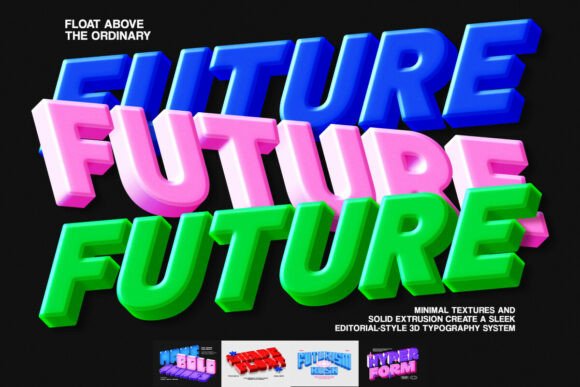
3D Futuristic Extrude Text Effect
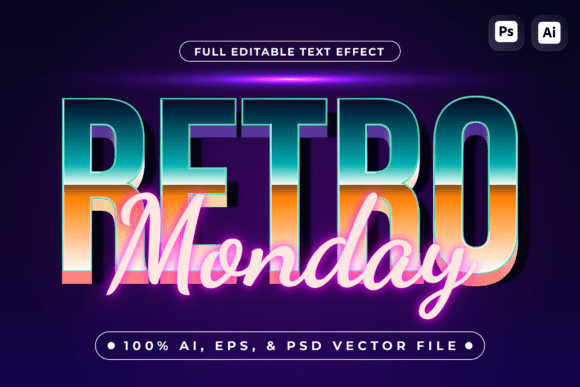
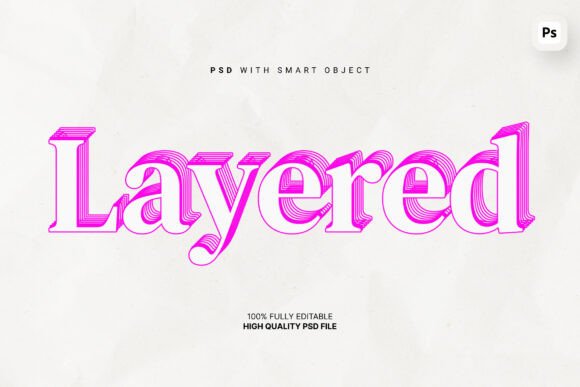
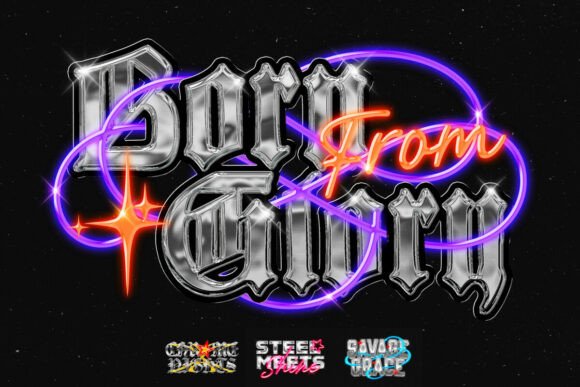
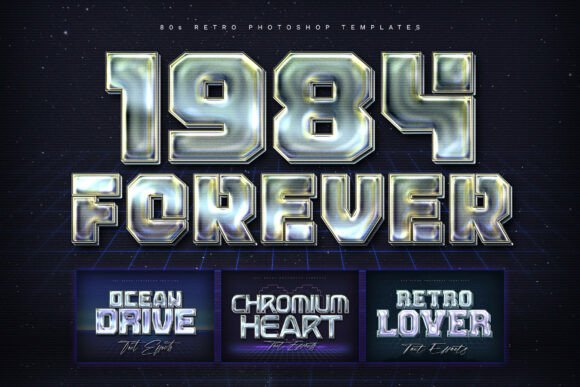
The 3D Futuristic Extrude Text Effect is a powerful design tool that brings bold, dynamic typography to life. It uses advanced digital techniques to create text that appears to pop off the screen, giving your visuals a high-tech, modern edge. Whether you're designing for a poster, game, or brand campaign, this effect adds a layer of depth and visual interest that captures attention.
This template is ideal for anyone looking to elevate their graphic design work with a futuristic aesthetic. Its combination of oversized geometric shapes, vibrant gradients, and layered depth creates a striking visual impact that stands out in any context. The result is a design that feels both innovative and professional.
What Makes This Design Unique
Unlike traditional text effects, the 3D Futuristic Extrude Text Effect goes beyond simple shadows and highlights. It uses extrusion techniques to give text a three-dimensional form, making it look like it's physically extending from the background. This creates a sense of movement and dimension that can transform a simple headline into a compelling visual statement.
The design features bold, oversized geometric forms that add structure and energy to the composition. These shapes are not just decorative—they help guide the viewer’s eye and reinforce the futuristic theme. Vibrant gradients further enhance the visual appeal, adding a sense of realism and sophistication.
Layered depth perspectives are another key element. By carefully arranging different elements within the design, the effect simulates a sense of space and dimension. This makes the text feel more immersive and engaging, especially when used in digital or print media.
Why This Template Is Valuable
The 3D Futuristic Extrude Text Effect template is designed with usability in mind. It includes five professionally organized PSD files, making it easy to edit and customize. Whether you're a beginner or an experienced designer, these files provide a solid foundation for creating stunning visuals without starting from scratch.
The template also comes with a help file that guides users through the editing process. This ensures that even those new to Photoshop can take advantage of the design’s potential. The high-resolution 3000 x 2000 px format guarantees sharp, crisp results that look great on any platform or medium.
For professionals, this template offers a time-saving solution that delivers premium-quality results. It’s perfect for designers who want to meet tight deadlines while maintaining a high standard of quality. For businesses, it provides a way to create visually compelling marketing materials that stand out in a competitive market.
Where to Use This Design
This 3D Futuristic Extrude Text Effect is incredibly versatile. It works well in a variety of contexts, from creative projects to commercial applications. Here are some common use cases:
- Futuristic Poster Designs: Use the effect to create eye-catching posters for events, exhibitions, or product launches. The bold typography and dynamic visuals make it ideal for grabbing attention in crowded spaces.
- Gaming Title Graphics: Game developers and marketers can use the template to create striking title screens or promotional materials. The futuristic look aligns perfectly with the themes of many modern video games.
- Modern Brand Campaigns: Brands looking to establish a cutting-edge image can incorporate this effect into their advertising, social media posts, or website banners. It helps convey innovation and forward-thinking values.
- Personal Projects: Artists, hobbyists, and students can experiment with the template to develop their own unique styles. It’s a great way to explore digital design and push creative boundaries.
Whether you’re working on a personal project or a professional assignment, the 3D Futuristic Extrude Text Effect offers endless possibilities. Its adaptability makes it a valuable addition to any designer’s toolkit.
Things to Consider Before Using This Template
Before diving into the design, it’s important to understand your goals and how the 3D Futuristic Extrude Text Effect fits into them. Ask yourself: What message do I want to convey? What kind of audience am I targeting? How will this design be used?
Also, consider your level of experience with design software. While the template is user-friendly, some familiarity with Photoshop or similar tools will help you get the most out of it. If you're new to the software, take time to explore the help file and practice with basic edits before moving on to more complex adjustments.
Finally, think about the overall design of your project. The 3D Futuristic Extrude Text Effect should complement other elements, not overpower them. Balance is key to creating a cohesive and visually appealing final product.
Getting Started With the Template
If you're ready to try the 3D Futuristic Extrude Text Effect, start by downloading the template and reviewing the help file. Take a moment to familiarize yourself with the layers and settings. Experiment with different color schemes, text styles, and layout options to see what works best for your project.
Don’t be afraid to mix and match elements. The layered PSD files allow for a lot of flexibility, so feel free to customize the design to suit your needs. Whether you're creating a single graphic or a full set of materials, this template provides a strong starting point.
As you work, keep the end goal in mind. Are you trying to grab attention? Convey a specific message? Create a memorable visual identity? The 3D Futuristic Extrude Text Effect can help achieve all of these, but it’s up to you to bring your vision to life.